- Quest 3
- Quest 3S
Arx Libertatis VR (Arx Fatalis)
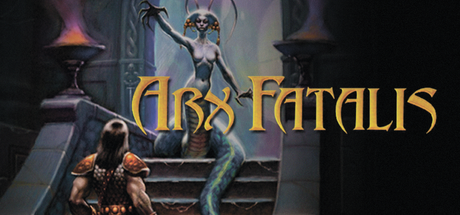
Arkane's 2002 PC RPG Arx Fatalis in full VR, built on the open-source Arx Libertatis, with an experimental native Quest 3 build: full body, real sword swings, physical shield blocks, a hand-drawn bow, runes drawn in the air to cast spells, and eating or paying with your hands. Bring your own game data.
- TrackingYes, 6DoF
- Motion controlsYes, Swing weapons to strike, block with a held shield, draw the bow by hand, draw runes in the air, eat and drink by raising items to your mouth
- HapticsYes, Active
- RenderingYes, Full-body first-person VR
- Smooth Locomotion
- Snap Turn
- Smooth Turn
- Physical Crouch
- Quest 3
- Quest 3S
Checking browser support…
Verification
Install via QuestPorts on vr-v0.2.1 · Quest 3 · today · Game files not sent through the site
Installed by 1 person through QuestPorts
Step-by-Step Installation Guide
Install on Quest, in the card above, is the one-click USB install. These steps are the manual path (SideQuest or ADB).
Overview
Arx Libertatis VR by cmpayc is a fan-made VR version of Arkane Studios' 2002 PC RPG Arx Fatalis, built on Arx Libertatis, the open-source port of the released Arx Fatalis source code. It has a full body, real sword swings (faster, wider swings hit harder), physical shield blocks, a bow you draw by hand, runes you draw in the air to cast spells, and the book and notes held in your hands. Release vr-v0.2.1 adds paying with your purse, eating and drinking by holding food or potions to your mouth, and a faster inventory. Alongside the PCVR build, the release includes a native Quest 3 build (Vulkan, experimental).
Install type: APK + your own game files.
[!IMPORTANT] No game files are included. You need the data files of your own copy of Arx Fatalis (Steam, GOG or CD). The free demo data also works. Fan project, not affiliated with Arkane Studios, Bethesda or Meta.
[!NOTE] Experimental. The Quest version is still being tuned, and the frame rate can drop in heavy scenes. It's tested on Meta Quest 3 and Quest 3S. The Windows zip on the same release page is the PCVR build.
Prerequisites
- Meta Quest 3 or 3S with Developer Mode enabled.
- SideQuest (or ADB) on a computer and a USB-C data cable.
- Your Arx Fatalis data files:
data*.pak,sfx.pak,speech*.pak,loc*.pak, plus themiscandgraphfolders.
Step-by-Step Installation
1. Install the APK
Download ArxLibertatisVR-0.2.1-android-arm64.apk via 1-click on QuestPorts or from GitHub Releases. Install it with SideQuest (Install APK file from folder) or:
adb install -r ArxLibertatisVR-0.2.1-android-arm64.apk
2. Launch once
Open Library > Unknown Sources > Arx Libertatis VR. The game won't start yet, but it creates the folder / with its config.
3. Copy your game data
Copy the Arx Fatalis data files (data*.pak, sfx.pak, speech*.pak, loc*.pak, and the misc and graph folders) into /:
Use SideQuest's file browser, a USB file transfer, or adb push <file or folder> / for each item. The exact .pak names depend on your copy and language.
4. Start the game
Launch it again and allow All files access when asked, then restart the game.
Controls (main hand: right; switch it in Options > VR settings)
- Left stick: move. Right stick: snap or smooth turn. Right stick click: crouch (or crouch for real). Left stick click: sneak.
- A: jump. B: book (hold for spell pages). X: inventory (above your left wrist). Y / Menu: game menu.
- Right trigger: click what you point at; tap it in the world for magic mode, then hold it and draw runes.
- Grips: activate doors, levers, people and bodies; take, grab, carry and throw objects. Left trigger: potion wheel.
- Weapons: reach over a shoulder and press the grip to draw; swing to strike. Hold a shield up to block. Recenter: hold the left stick.
Optional: HD textures
The release notes recommend the HD Texture Pack 2026 by Felldude (Nexus Mods) plus the author's texture patch and updated models. Those steps are written for the PC build, so treat them as unverified on Quest.
The game doesn't start on the first launch: that's expected; it only creates /sdcard/ArxLibertatis/. Copy the data files there and launch again. Game data not found: the .pak files (data*.pak, sfx.pak, speech*.pak, loc*.pak) and the misc and graph folders must sit directly in /sdcard/ArxLibertatis/, and All files access must be allowed (restart the game after granting it). Low frame rate in heavy scenes: the Quest build is experimental and still being tuned. Recenter: hold the left stick, or use the headset's recenter. App not in the Library: look under Unknown Sources; Developer Mode must be on. Fan project, not affiliated with Arkane Studios, Bethesda or Meta; no game files are provided.
Requirements SummaryStandalone VR
Join the developer community for installation troubleshooting, high-resolution HD mod packs, and multiplayer sessions.