- Quest 2
- Quest 3
- Quest 3S
- Quest Pro
Mega Man 64 VR
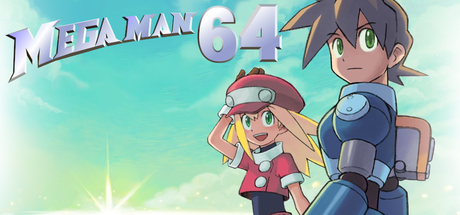
Capcom's 2001 N64 game Mega Man 64 (Mega Man Legends) in first-person VR, standalone on Meta Quest, built on Mega Man 64: Recompiled: the buster on your left hand and the special weapon on your right, shots fly where you point, and you look around with the headset. Bring your own US ROM.
- TrackingYes, 6DoF
- Motion controlsYes, Buster on the left hand, special weapon on the right; shots fly where each hand points
- RenderingYes, First-person stereo 3D with head tracking
- Smooth Locomotion
- Snap Turn
- Quest 2
- Quest 3
- Quest 3S
- Quest Pro
Checking browser support…
Verification
Not tested
Step-by-Step Installation Guide
Install on Quest, in the card above, is the one-click USB install. These steps are the manual path (SideQuest or ADB).
Overview
Mega Man 64 VR by randygil is a fork of Mega Man 64: Recompiled, the static recompilation of Capcom's 2001 N64 game Mega Man 64 (the port of Mega Man Legends), with a first-person VR mode that runs standalone on Meta Quest. You play as Mega Man in stereo 3D with head tracking: the buster is on your left hand and the special weapon on your right, shots fly where your hand points, and Mega Man's arms reach to your controllers. Menus and cutscenes are shown on a floating screen. A Windows PCVR build is on the same release page.
Install type: APK + your own game files.
[!IMPORTANT] No game files are included. You need your own Mega Man 64 (US) ROM as
.z64,.n64or.v64. Fan project, not affiliated with or endorsed by Capcom.
[!NOTE] Beta (prerelease). v0.9.1-vr1 (October 1, 2026) is the first VR release. The APK targets Quest 2, 3, 3S and Pro, but the author has only tested it on a Quest 2. The fix for texture shimmering when you move your head is new and lightly tested, and objects at the edge of the view may pop in late.
Prerequisites
- A Meta Quest headset with Developer Mode enabled.
- A computer with ADB (or SideQuest) and a USB-C data cable.
- Your Mega Man 64 (US) ROM.
Step-by-Step Installation
1. Install the APK
Download MegaMan64RecompiledVR-Quest.apk via 1-click on QuestPorts or from GitHub Releases. Accept the USB debugging prompt in the headset, then:
adb install -r MegaMan64RecompiledVR-Quest.apk
2. Run it once
Open the game once from Library > Unknown Sources, then quit it. This creates its folder.
3. Copy your ROM
Push the US ROM into the app's folder. The game imports it on the next start and deletes the copy:
adb push MegaMan64.us.rev1.z64 /sdcard/Android/data/com.megaman64recomp.vr/files/MegaMan64.us.rev1.z64
4. Optional: bring your PC save
Copy %LOCALAPPDATA%\MegaMan64Recompiled\saves\megaman.n64.us.1.0.bin to /.
Controls
| Controller | Action |
|---|---|
| Left trigger | Buster (fires from the left hand) |
| Right trigger | Special weapon (fires from the right hand) |
| Left stick | Move (forward is where you look) |
| Right stick | Snap turn 30° (menus: navigate) |
| A | Jump / accept |
| B or X | Interact / talk |
| Y | Map |
| Grips | Lock-on / strafe (Z and R) |
| Left menu | Pause |
| Left stick click | L |
| Right stick click | Settings menu (has a VR Field of View option) |
The headset runs at 90 Hz (or 60 Hz), a multiple of the game's 30 fps, so every frame is shown for the same time.
The ROM isn't imported: run the game once first so its folder exists, then push the US ROM (.z64, .n64 or .v64) to /sdcard/Android/data/com.megaman64recomp.vr/files/ and start the game again; it imports the ROM and deletes the copy. Other regions aren't supported. Textures shimmer or objects at the edge of the view pop in late: known issues in this first VR release. Menus and cutscenes appear on a floating screen by design. Change how much of your view the game fills with VR Field of View (right stick click > General). Logs: adb logcat -s MegaMan64. Only tested on Quest 2 so far. App not in the Library: look under Unknown Sources; Developer Mode must be on. Fan project, not affiliated with or endorsed by Capcom; no game files are provided.
Requirements SummaryStandalone VR
Join the developer community for installation troubleshooting, high-resolution HD mod packs, and multiplayer sessions.