- Quest 2
- Quest 3
- Quest 3S
- Quest Pro
Serious Sam Classic VR (QuestSam)
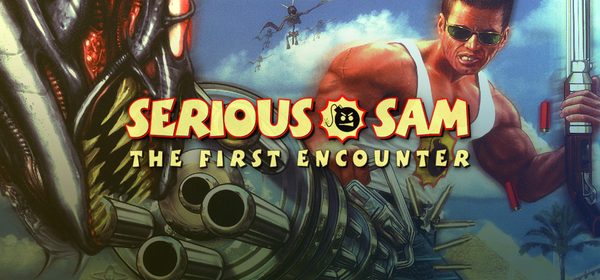
Standalone 6DoF VR source port of Serious Sam Classic: The First Encounter & The Second Encounter for Meta Quest. Features dual wielding, horde combat, roomscale tracking, and 1st/3rd-person diorama views.
- TrackingYes, 6DoF
- Motion controlsYes, Dual wielding
- Dual Wielding
- 6DoF Motion Tracking
- Smooth Locomotion
- Snap / Smooth Turn
- Diorama / 3rd-Person Mode
- First-person
- Third-person
- Roomscale diorama
- Quest 2
- Quest 3
- Quest 3S
- Quest Pro
Checking browser support…
Verification
Not tested
Step-by-Step Installation Guide
Install on Quest, in the card above, is the one-click USB install. These steps are the manual path (SideQuest or ADB).
Overview
QuestSam is a free, open-source standalone 6DoF VR source port of Croteam's legendary arcade FPS classics: Serious Sam Classic: The First Encounter (TFE) and Serious Sam Classic: The Second Encounter (TSE), running natively on Meta Quest without a PC.
[!NOTE] You need the
.grogame archive files from either or both original PC games (Serious Sam Classic: The First Encounter or Serious Sam Classic: The Second Encounter on Steam or GOG).
Prerequisites
- Meta Quest Headset (Quest 2, Quest 3, Quest 3S, or Quest Pro) with Developer Mode enabled.
- Legally owned copy of Serious Sam Classic: The First Encounter and/or The Second Encounter on Steam or GOG.
- PC with USB-C cable or SideQuest / ADB installed.
Step-by-Step Installation Guide
1. Sideload the Standalone APK
- Download
questsam.apkfrom GitHub Releases. - Install the APK using SideQuest or run:
adb install -r questsam.apk
2. First Launch (Folder Creation & Permissions)
- Put on your headset, open App Library → Unknown Sources, and launch QuestSam.
- Grant the "All files access" storage permission when prompted.
- The game will generate the
/directory on your headset's storage and close.sdcard/ questsam/
3. Copy Game Files (.gro)
- Connect your Quest to your PC via USB-C (or use SideQuest's File Manager).
- Locate your PC game install folder (e.g.
Steam/):steamapps/ common/ Serious Sam Classic The First Encounter - Copy all root
.groarchive files (e.g.1_00.gro,1_00_music.gro,SE1_00.gro, etc.) into:/sdcard/questsam/ - (Optional) If copying via ADB script, you can use the bundled
push_quest_data.bat(Windows) orpush_quest_data.sh(Linux/Mac) to automatically transfer TFE & TSE data to/.sdcard/ Android/ data/ com.github.maranone.questsam/ files
- Copy all root
4. Launch and Slay Hordes in VR!
- Put on your Quest, go to Unknown Sources, and launch QuestSam.
- Choose your campaign (TFE or TSE) and enjoy full 6DoF dual-wielding chaos!
VR Features & Controls
- Dual Wielding: Hold different weapons in each hand! Press each controller's grip to cycle weapons, and pull each controller's trigger independently to fire.
- Camera Modes: Play in traditional first-person VR or switch to third-person and roomscale 3D diorama modes.
- Customizable HUD: Adjust health/ammo HUD opacity, scale, and positioning in VR player settings.
- Interact: Click the Right Controller Thumbstick to use switches and open doors.
Launch the APK once first to grant storage permissions and initialize /sdcard/questsam. Both TFE and TSE can be placed in the same folder or separate subfolders; QuestSam automatically links archives when SE1_00.gro is found.
Requirements SummaryStandalone VR
Join the developer community for installation troubleshooting, high-resolution HD mod packs, and multiplayer sessions.