- Quest 3
- Quest 3S
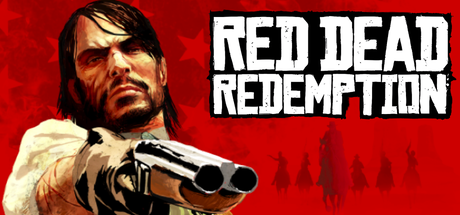
Red Dead Redemption VR
ALPHA. Unofficial VR mod of Red Dead Redemption for Android, running standalone on Meta Quest 3/3S: full 6DoF stereo, your own body with arm IK, holsters, manual revolver reload, physical melee and lasso, horseback riding and an in-headset VR menu. Built on your PC from your own Google Play copy (NOT the Netflix version); no game files included.
- TrackingYes, 6DoF
- Smooth
- Teleport
- Snap Turn
- Smooth Turn
- Horseback
- Quest 3
- Quest 3S
One-click install is off because this download is not an APK. Install it from the project page.
Open the project pageVerification
Not tested
Step-by-Step Installation Guide
The card above opens the project page. QuestPorts does not install this port for you.
ALPHA (v0.1.0). Manual install with a PC build step; there is no ready APK and no one-click install.
These steps follow the project's own instructions: rdr1-quest README.
Only the Google Play Android version works (Red Dead Redemption 1.58.63226194, arm64). The Netflix Games edition (com.netflix.NGP.Kamo) uses a different engine build and the builder rejects it.
Requirements
- Red Dead Redemption from Google Play installed on an Android phone or tablet, launched once with all downloads finished.
- Meta Quest 3 or 3S with Developer Mode enabled and a USB-C data cable.
- Windows 10/11, Linux x86_64 or macOS, internet access and about 20 GB free on the PC.
- About 8 GB free on the headset.
1. Download the kit
Download the repository (Code > Download ZIP, or git clone) into a folder of its own. On Windows you can run UPDATE.bat (or bash UPDATE.sh on Linux/macOS): it fetches the latest version and starts the build wizard.
2. Export the game from your phone
Enable USB debugging on the phone, connect it to the PC and run EXPORT_RDR_APKS.bat, approving USB debugging on the phone. Keep the whole export folder: base.apk, every split_*.apk and the external folder.
3. Build and install
Run BUILD_AND_INSTALL.bat (Windows) or bash BUILD_AND_INSTALL.sh (Linux/macOS), select the export folder, connect the Quest, allow USB debugging in the headset and follow the prompts. The installer downloads and verifies the tools, builds the mod, signs it with a personal key and installs it.
4. Play
Launch it from Library > Unknown sources > RDR, in a well-lit room.
Updates and saves
Keep your personal signing key (see BUILDING.md): updates must use the same key, otherwise you must uninstall and lose your saves. Back up saves first with TRANSFER_SAVES.bat -FromHeadset. To update, run UPDATE.bat again; your export, key and caches are kept.
The builder says it is the Netflix edition: export the Google Play version instead. Export fails: approve USB debugging on the phone (seeing it in File Explorer is not enough), launch the game once and let it finish downloading. Update asks to uninstall: you used a different signing key; back up saves with TRANSFER_SAVES first. Tracking issues: play in a well-lit room; recenter by holding L3 + R3. VR settings broken: run RESET_VR_SETTINGS. Report bugs with COLLECT_REPORT on the GitHub Issues page.
Requirements SummaryStandalone VR
Join the developer community for installation troubleshooting, high-resolution HD mod packs, and multiplayer sessions.