- Quest 3
Sin & Punishment VR
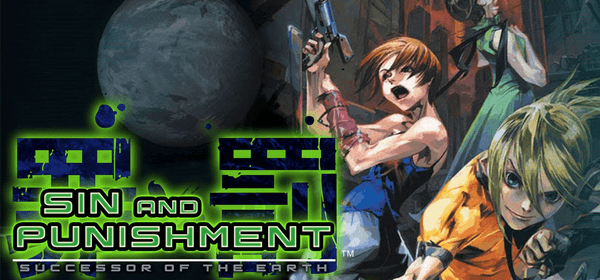
Treasure's N64 rail shooter Sin and Punishment running natively on Meta Quest 3. Point-and-shoot aiming, a wide head-tracked view in the stages, 60 fps, and HD texture pack support.
- TrackingYes, 6DoF
- On-Rails (game-driven camera)
- Roomscale
- Seated
- Roomscale
- Seated
- Quest 3
Checking browser support…
Verification
Not tested
Step-by-Step Installation Guide
Install on Quest, in the card above, is the one-click USB install. These steps are the manual path (SideQuest or ADB).
Overview
Sin & Punishment VR runs Treasure's N64 rail shooter Sin and Punishment (Tsumi to Batsu: Hoshi no Keishousha) natively on Meta Quest 3 as recompiled code, not an emulator. Point your right controller at the enemies, pull the trigger, and look around the stage with your head. The game is drawn about 120 x 104 degrees wide, at 60 fps, with a small, crisp HUD.
[!NOTE] No game files included. Unofficial fan project. You need your own ROM (
.z64,.n64or.v64). Japanese ROMs and the English fan translation both work.
Prerequisites
- Meta Quest 3.
- Your own Sin and Punishment ROM.
Step-by-Step Installation
- Install the APK via 1-click on QuestPorts or install
Sin-and-Punishment-VR-0.1.0.apkwith SideQuest / ADB. - Put your ROM on the headset, for example in
/.sdcard/ Download/ - Launch Sin and Punishment VR from Unknown Sources.
- In the ROM window choose Choose ROM file and pick your ROM. It is copied into the app once. After that the window shows Play.
Controls
- Aim by pointing the right controller. Right trigger fires.
- Right A (or either grip) jumps. Left stick moves.
- Right stick picks a lock-on target.
- Left menu starts and pauses. Right stick click recenters the view.
- Menus and cutscenes show on a large floating screen. Stages switch to the full surround view.
HD textures
Copy a Rice-format texture pack folder (the same packs N64 emulators use in hires_texture) into Android/, then start the game.
If the ROM window rejects your file, check that it is a .z64, .n64 or .v64 of Sin and Punishment (Japanese, or the English fan translation). The app is Quest 3 only. This is the first release, so expect rough edges.
Requirements SummaryStandalone VR
No community reports yet. Be the first to share how it runs on your headset.
How did this port run for you?
Join the developer community for installation troubleshooting, high-resolution HD mod packs, and multiplayer sessions.