- Quest 3
Bomberman Hero VR
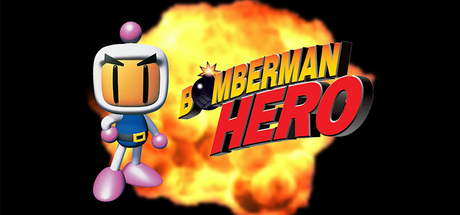
Hudson Soft's 1998 N64 platformer Bomberman Hero running natively on Meta Quest 3 as a standalone port of the PC recompilation (Bomberman Hero: Recompiled + N64Recomp + RT64): head-tracked stereo 3D and a switchable first-person view. Pick your own NA v1.0 ROM in the app.
- Tracking3DoF
- RenderingYes, Stereo 3D with head tracking
- Smooth Locomotion
- Smooth Turn
- Third-Person Mode
- Third person
- First person
- Quest 3
Checking browser support…
Verification
Not tested
Step-by-Step Installation Guide
Install on Quest, in the card above, is the one-click USB install. These steps are the manual path (SideQuest or ADB).
Overview
Bomberman Hero VR by VistaLargaGames (the developer of Wave Race 64 VR and Smash Remix VR) runs Hudson Soft's 1998 N64 platformer Bomberman Hero natively on Meta Quest 3 as a standalone VR game. It's a standalone port of the PC Bomberman Hero: Recompiled, built on N64Recomp and RT64 (static recompilation, not emulation), with head-tracked stereo 3D and a switchable first-person view.
Install type: APK + your own game files. You pick the ROM inside the app, and it loads the assets from your copy automatically, with no extraction or build step.
[!IMPORTANT] No game files are included. You need your own Bomberman Hero (North America) v1.0 ROM. Fan project, not affiliated with Nintendo, Hudson Soft, Konami or Meta.
[!NOTE] Beta. The release (tag
n64, October 12, 2026) is for Quest 3 (the APK also declares Quest 3S). Known bug: bomb explosions don't always display.
Prerequisites
- Meta Quest 3 (or 3S) with Developer Mode enabled.
- SideQuest (or ADB) on a computer, or the headset's browser.
- Your Bomberman Hero (NA) v1.0 ROM on the headset's storage (for example in
Download).
Step-by-Step Installation
1. Install the APK
Download BombermanHeroQuest3.apk via 1-click on QuestPorts or from GitHub Releases. Install it with SideQuest (Install APK file from folder), with adb install -r BombermanHeroQuest3.apk, or by downloading it in the Meta Quest browser.
2. Put your ROM on the headset
adb push "Bomberman Hero (USA).z64" /sdcard/Download/
3. Launch and pick the ROM
Open Library > Unknown Sources > Bomberman Hero. On launch the game asks you to locate the ROM: select your copy in the main menu and start playing.
Controls
| Button | Action |
|---|---|
| Left stick | Move |
| Right stick | Turn |
| Right stick click | First person on/off |
| A | Jump |
| B | Throw |
| Right trigger | Drop a bomb |
| Left trigger | Detonate |
| Left menu button | Start / pause |
Credits
Port by VistaLargaGames. Built on Bomberman Hero: Recompiled, N64Recomp and RT64.
The ROM is rejected: use Bomberman Hero (North America) v1.0; other regions and revisions aren't supported. The ROM doesn't show up in the picker: check that the copy finished and look in the Download folder of internal storage. Bomb explosions sometimes don't display: known bug in this release. Recording the screen on the Quest lowers the resolution until you stop recording (a Quest issue the developer is working on). App not in the Library: look under Unknown Sources; Developer Mode must be on. Fan project, not affiliated with Nintendo, Hudson Soft, Konami or Meta; no game files are provided.
Requirements SummaryStandalone VR
Join the developer community for installation troubleshooting, high-resolution HD mod packs, and multiplayer sessions.